Jim - what happened to the basic navigation tools at the top of the page? ( <. > forward and back)
Sometimes I will see a “back” icon as part of the KitMaker Logo but sometimes not. However this button takes me back to the general topic selection page rather than taking me back just one frame/page???
Then too if I use the navigation tools all the way at the top of the window near the URL address those take me WAY back to my home page.
This is a real PIA. Is this something else we have Discourse to thank for?
Best Regards
Mike Koenig
165thSPC
I have now created this new topic, I hit “Reply”.
OK but now there is no “Back” icon as part of theKitMaker Logo so am I now stuck on this page and have to go all the way back to the Home Page and navigate down again to the page I actually want?
165thSPC
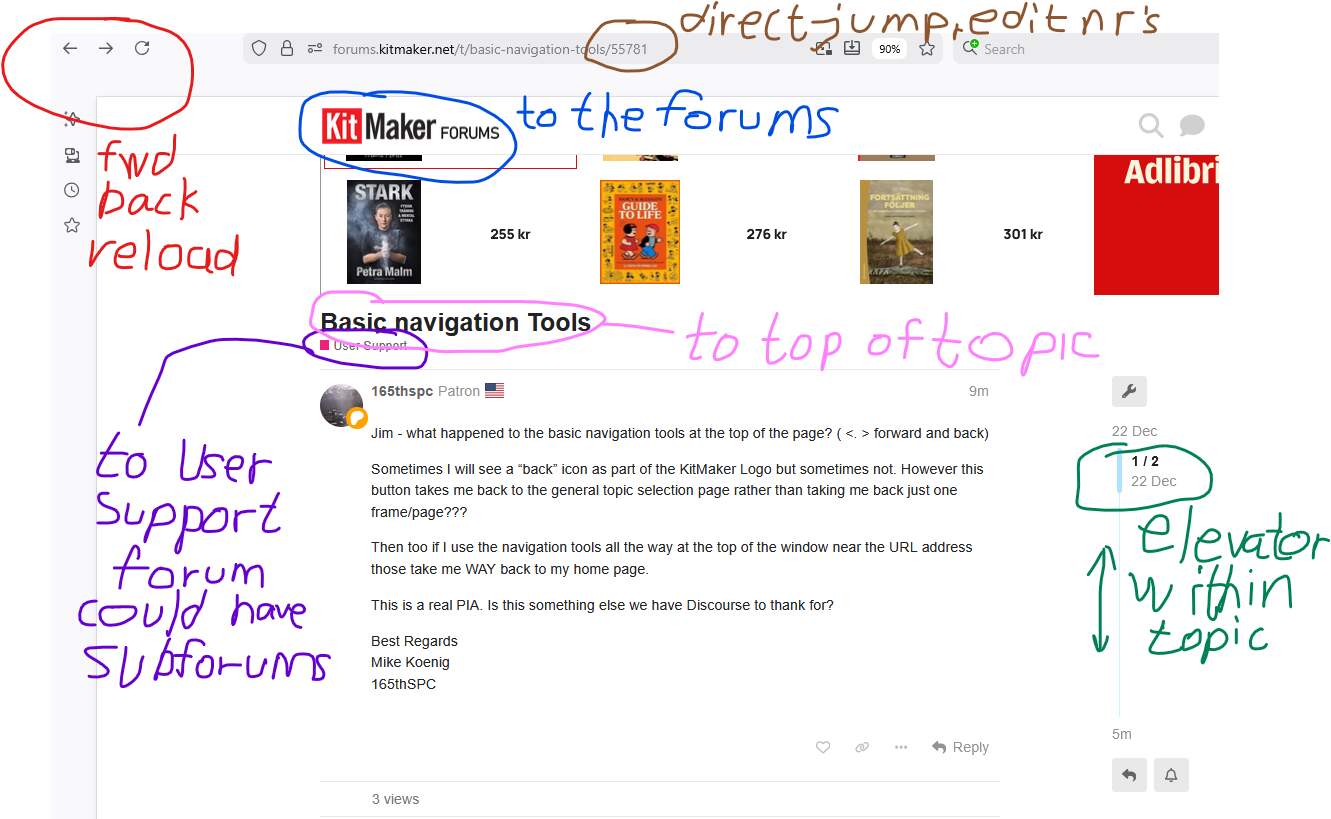
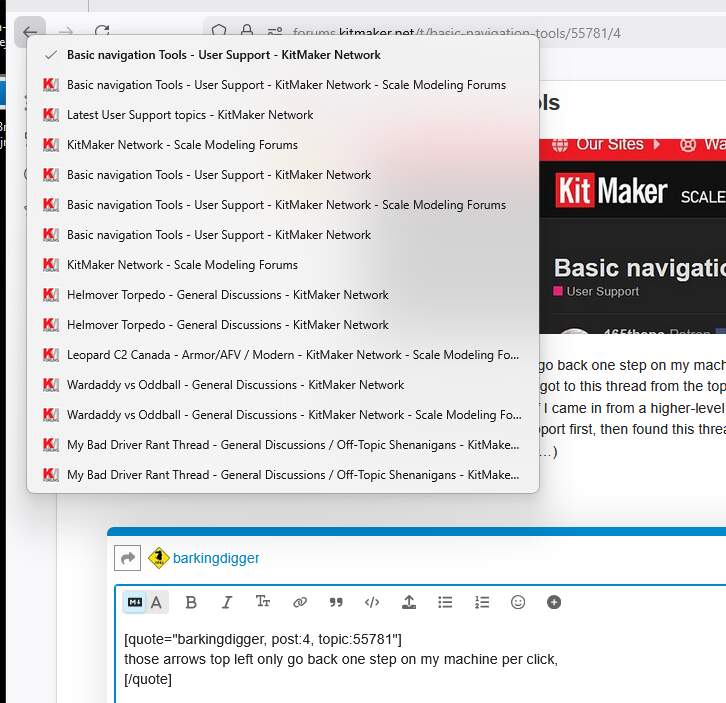
the fwd. back and reload belong to the browser so my screen images
shows the icons used by Firefox.
Google Chrome is almost but not quite the same

I have forgotten what the arrows looked like in the old forums, time does fly …
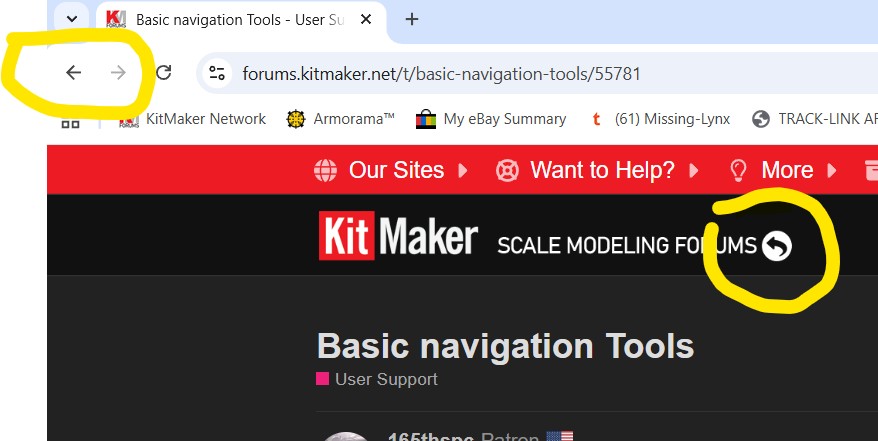
If you mean the arrow after the “Scale Modelling Forums” text (circled in yellow) I never use it - I use the normal forward/back arrows in the top left of this screengrab.
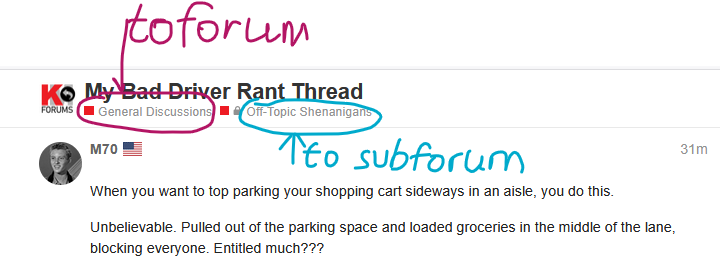
[EDIT: those arrows top left only go back one step on my machine per click, but the destination depends where I came in from. I got to this thread from the topics on the right of the home page, so a back-click takes me there. If I came in from a higher-level thread it would take me there instead. (So if I went to User Support first, then found this thread there, the back button would drop me into User Support again…)
I don’t have that curving arrow?
Yeah, that curving arrow is a bit random - I think you only see it after moving from one KM forum or post to another. There has to be something in the history to go back to, or the arrow won’t show up?…
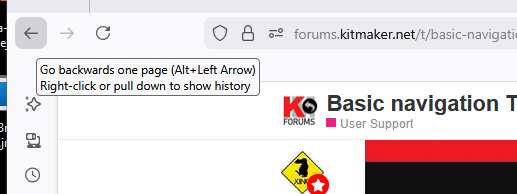
Firefox:
After one or two seconds of hovering you should get a prompt:
Right-click the arrow and the browser shows a drop down menu of destinations.
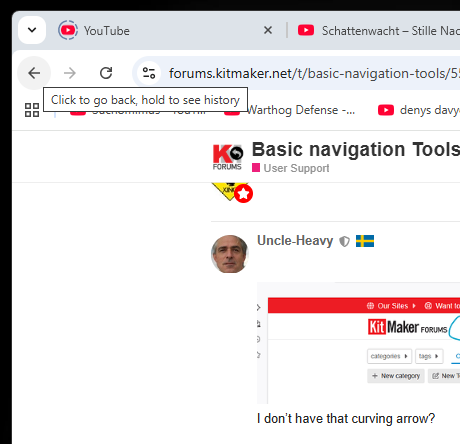
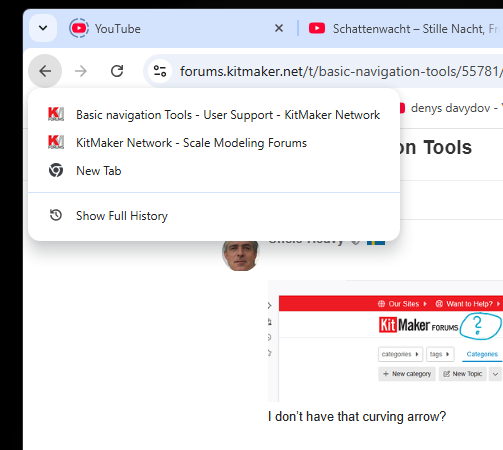
Google Chrome:
Hover:
Press and hold:
No Forward/Back/Reload tool bar on my screen.
Can this possibly be turned on/off?
Note: I do have a brand new Apple laptop - could that make a difference
Apple is foreign turf for me - I’m using Chrome in Windows 11. We’d need to hear from Apple experts here to see how that OS works…
OK Robin your advice helps me somewhat.
I am new for bringing back on the site. Don’t know how a newcomer is supposed to know these things but OK ???
Apple is Terra Incognita to me
You are probably using Safari.
Yes = should I shift to Chrome?
If your Safari back/forward buttons disappeared, it’s usually because they were removed from the toolbar or you’re in full-screen mode; try View > Customize Toolbar to drag them back, check for full-screen hiding, or restart Safari to fix temporary glitches, suggests Apple Discussions, Apple Support Community, and JustAnswer.
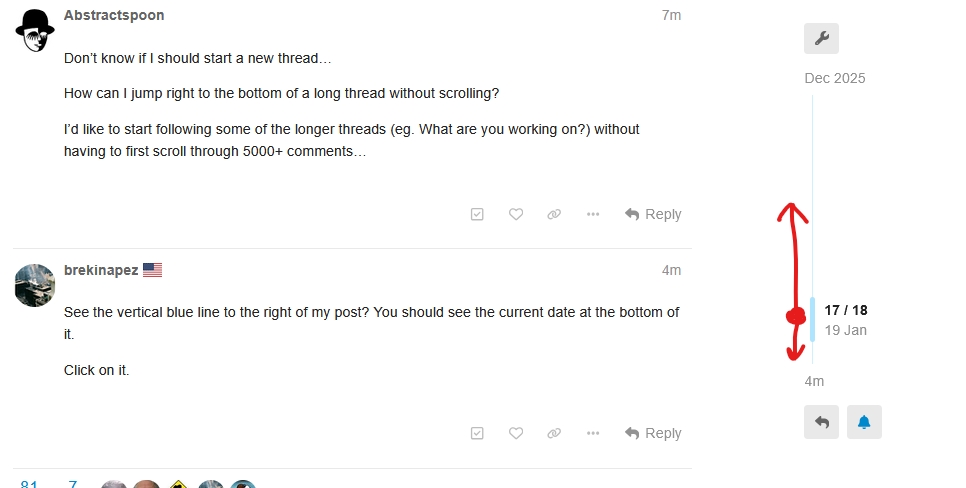
Don’t know if I should start a new thread…
How can I jump right to the bottom of a long thread without scrolling?
I’d like to start following some of the longer threads (eg. What are you working on?) without having to first scroll through 5000+ comments…
See the vertical blue line to the right of my post? You should see the current date at the bottom of it.
Click on it.
Thx Mate. I didn’t realise that was a ‘global’ scrollbar.